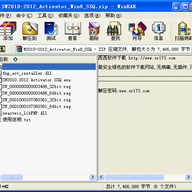
SolidWorks 2012 Win8 支持补丁是一款专门为在 Windows 8 系统上运行 SolidWorks 2010、2011、2012 的用户准备的激活辅助工具,由 Team-SolidSQUAD 制作。它通过注册表文件和激活程序,帮助用户完成 SolidWorks 及其 Simulation、Flow Simulation、Motion 组件的序列号注册与激活流程。该补丁主要解决 Win8 环境下旧版 SolidWorks 激活困难的问题,操作时需要严格按照步骤执行。
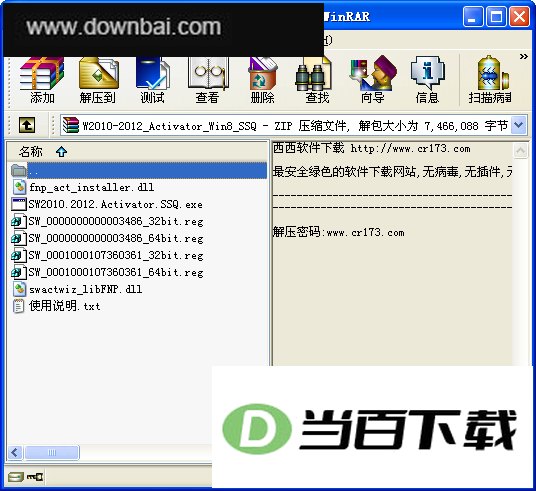
1、 将文件夹“SW2010-2012_Activator_Win8_SSQ”复制到 C 盘根目录
2、 根据系统位数运行对应的 .REG 文件,为 SolidWorks 以及 SW Simulation、Flow Simulation、Motion 注册序列号
3、 右键点击 SW2010.2012.Activator.SSQ.exe,选择“以管理员身份运行”
4、 1 当程序询问“Do you want to delete all activation information related to SolidWorks and reactivate?”时,点击“YES”
5、 2 当程序询问“Do you want to activate any version or you just wanted to clean the things up?”时,点击“YES”
6、 3 当程序询问“Activate SolidWorks 2012?”时,如果已安装 SW2012 则点击“YES”,否则点击“NO”
7、 4 当程序询问“Activate SolidWorks 2011?”时,如果已安装 SW2011 则点击“YES”,否则点击“NO”
8、 5 当程序询问“Activate SolidWorks 2010?”时,如果已安装 SW2010 则点击“YES”,否则点击“NO”
9、 等待窗口出现“All done! Enjoy!”提示后,点击“OK”完成激活





(您的评论需要经过审核才能显示)
0条评论